What Is Accounts Receivable Automation? A Practical Guide for Singapore SMEs
Accounts receivable automation handles the repetitive work between issuing an invoice and receiving payment. The useful version does more than send reminders: it tracks promises, flags disputes, reconciles payments, and knows when to bring in a human.
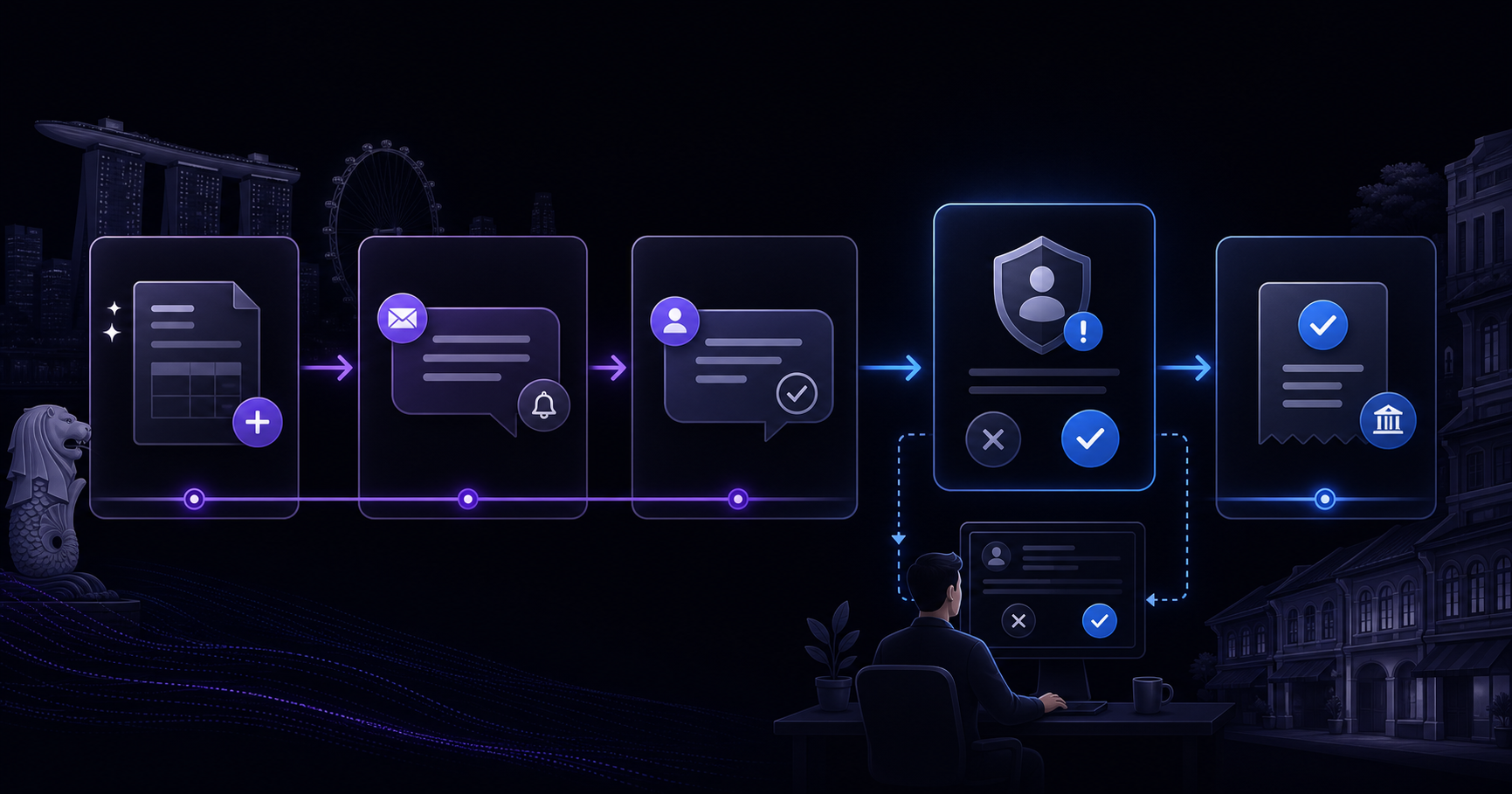
Accounts receivable automation uses software to handle the repetitive work involved in collecting money customers already owe you.
At its simplest, that means sending invoice reminders automatically. A more complete system also watches due dates, matches incoming payments, records customer promises, pauses disputed invoices, and tells the right person when a collection needs human attention.
For a Singapore SME, the practical goal is not to remove people from customer relationships. It is to stop a finance employee or business owner from rebuilding the same overdue-invoice list every week.
What is included in accounts receivable?
Accounts receivable, usually shortened to AR, is the money customers owe your business for goods or services already delivered on credit. Deciding which customers get credit in the first place is a separate discipline — see our credit control and customer onboarding guide — and everything below assumes that decision has been made.
The AR process normally includes:
- Issuing an accurate invoice
- Recording its due date and payment terms
- Monitoring whether it has been paid
- Reminding the customer before or after the due date
- Recording questions, disputes, and promises to pay
- Matching the payment against the correct invoice
- Escalating debts that remain unpaid
Most SMEs already use accounting software to perform some of these steps. The gap is usually between what the software records and what the team must still remember to do.
An invoice can sit neatly inside Xero, QuickBooks, or another accounting platform while nobody follows up on it for three weeks. AR automation closes that operational gap.
How accounts receivable automation works
A typical AR automation connects to your accounting system and checks open invoices on a schedule. It then applies collection rules agreed with your team.
For example:
- Three days before an invoice is due, send a friendly reminder with the invoice attached.
- Three days after it is due, check whether payment has arrived before sending another message.
- If the customer promises to pay on Friday, pause reminders until Saturday.
- If the customer disputes a line item, stop the automated sequence and assign the issue to the account owner.
- If an invoice reaches 30 days overdue, prepare an escalation for human approval.
- When payment arrives, match it to the invoice and close the collection task.
The rules should reflect how your business actually treats customers. A key account with an agreed exception should not receive the same sequence as a first-time customer who has stopped replying.
What can be automated?
Payment reminders
The system can send consistent reminders by email or another approved channel. Messages can change according to how overdue the invoice is, the customer's history, and the next action required. For a worked example of the sequence we run, see AR chasing on autopilot.
Aging-list monitoring
Instead of asking someone to export and sort an aging report every Tuesday, the system can check it daily and surface only the invoices that require action.
Promise-to-pay tracking
When a customer says, “We will pay next Wednesday,” that commitment can be recorded automatically. The system waits, checks for payment, and follows up only if the promise is missed.
Dispute detection
Replies mentioning a missing purchase order, incorrect amount, damaged goods, or service complaint can be classified and routed to the responsible employee. Collection pauses while the underlying problem is resolved.
Payment matching
Where the accounting and payment data are sufficiently clean, incoming payments can be matched with open invoices. Ambiguous matches can be placed in a review queue.
Reporting
Owners and finance managers can receive a short report showing overdue value, broken payment promises, active disputes, and accounts requiring intervention.
What should not be fully automated?
Automation is good at consistency. It is much less reliable when a decision depends on commercial context, legal judgment, or a strained relationship.
Keep a person involved when:
- A customer disputes whether the work was completed correctly
- A strategically important account asks for revised terms
- The next step could affect an ongoing commercial relationship
- A formal demand or legal action is being considered
- The customer is distressed, angry, or unusually vulnerable
- The available records conflict with one another
The safest design is not “the AI handles collections.” It is “the system handles routine collection work and gives people a clean queue of exceptions.”
AR automation versus basic invoice reminders
Basic reminders follow a timer. AR automation follows the state of the account.
A reminder tool may send a message seven days after an invoice becomes overdue. A properly designed AR workflow first checks whether:
- Payment has already arrived
- The customer has promised a payment date
- The invoice is under dispute
- Someone on the team has paused collection
- Another overdue invoice should be discussed at the same time
- The account requires a different tone or escalation path
That difference matters. Sending messages is easy. Sending the right message—or deliberately sending nothing—is where most of the value sits.
Benefits for a small business
More consistent follow-up
Invoices no longer depend on someone finding time between payroll, reporting, and customer requests.
Better visibility
The owner can see why money is late instead of looking only at a total overdue balance.
Less awkward chasing
Routine reminders come from an agreed process. Staff can reserve personal conversations for exceptions and important relationships.
Fewer missed commitments
Customer promises and internal follow-ups do not disappear into inboxes, spreadsheets, or WhatsApp threads.
More useful finance time
The finance team spends less time compiling lists and more time resolving disputes, improving controls, and speaking with customers who genuinely need attention.
When is AR automation worth it?
It is usually a good candidate when:
- You issue credit invoices every month
- Someone spends several hours a week checking and chasing them
- Overdue follow-up is inconsistent
- Customer replies are scattered across inboxes or messages
- The same reminder and escalation patterns repeat
- Your accounting records are reasonably current
It is less useful when invoice volume is very low, nearly every invoice is bespoke or disputed, or the accounting data is too incomplete to trust.
Before buying or building anything, measure:
- The number and value of invoices issued each month
- The percentage paid after their due date
- Staff hours spent on collection work
- Average days sales outstanding
- The number of disputes and unmatched payments
These numbers provide a baseline. Without one, it is easy to automate activity without proving that collection improved.
A practical first workflow
An SME does not need to automate the entire receivables cycle at once.
A sensible first version might:
- Read open invoices from the accounting system
- Send one pre-due and two overdue reminders
- Stop when a customer replies
- Route every reply to a human
- Produce a weekly exception report
Once that works reliably, the business can add reply classification, promise tracking, payment matching, or account-specific rules.
This staged approach exposes data and process problems early, before the automation is trusted with more consequential decisions.
The bottom line
Accounts receivable automation is not simply scheduled email. It is a controlled workflow for monitoring invoices, following up consistently, recording what customers say, and escalating exceptions.
The best systems are deliberately boring. They follow clear rules, preserve an audit trail, and stop when the situation requires judgment.
For an SME, that can mean fewer hours spent maintaining spreadsheets, better visibility over late payments, and a collection process that continues even during busy weeks.
If you want to estimate whether your current AR workload is large enough to automate, use the Calcudesk automation ROI calculator or book a 30-minute discovery call. We can review the process using your invoice volume, overdue balance, and actual staff time—not a generic software demo.